Cleaning the Arm (Foodini 2.0)
The arm is easiest to clean when Foodini brings it to the middle of the plate for you. The Cleaning screen does that in three steps, and returns the arm when you are done.
Open the Cleaning screen
Tap Printer on the home screen, then Cleaning at the top right. It isn't available while Foodini is printing.

Clean the arm
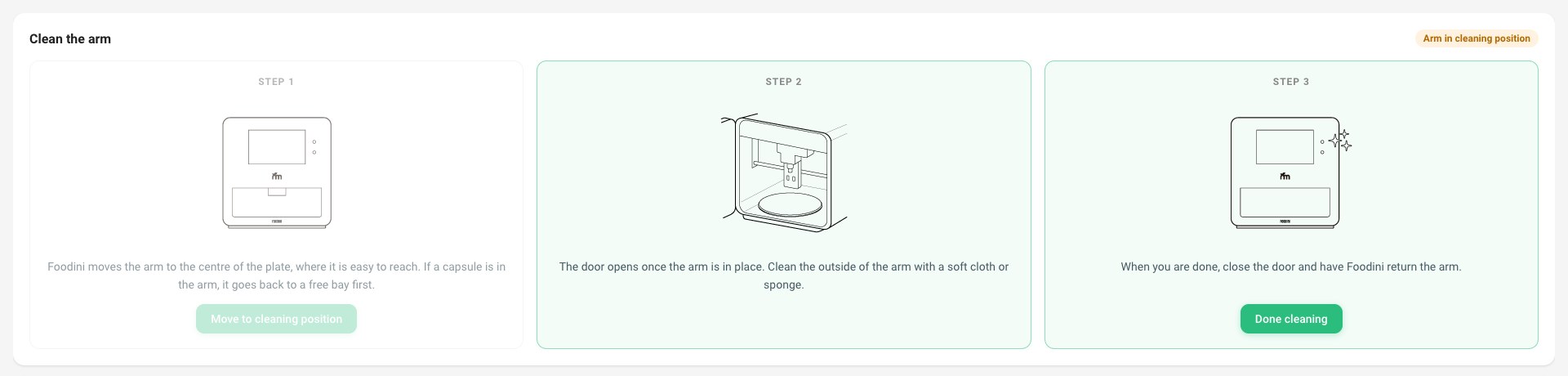
- Move to cleaning position — Foodini moves the arm to the middle of the plate and lowers it, where it is easy to reach. If a capsule is in the arm, Foodini first puts it back in a free bay. Keep your hands out of Foodini while the arm moves.
- Clean — the door opens once the arm is in place, and the screen shows Arm in cleaning position. Clean the outside of the arm with a soft, damp cloth or sponge. Take care with the pins and other parts that stick out.
- Done cleaning — close the door, then tap Done cleaning. Foodini returns the arm to its place and is ready to print.
If you leave the Cleaning screen, or Foodini's screen restarts, while the arm is out, open Cleaning again: Done cleaning is still there.
If something stops it
- “Every bay is full” — there is a capsule in the arm and nowhere to put it. Take a capsule out of one of the bays and tap Move to cleaning position again.
- “The door is open” — Foodini only returns the arm with the door closed. Close it and tap Done cleaning again.
- “Update Foodini” — this Foodini's software can't return the arm from the screen yet. Make sure Foodini is connected to the internet so it updates; until then, close the door and restart Foodini to bring the arm back.
What goes in the dishwasher
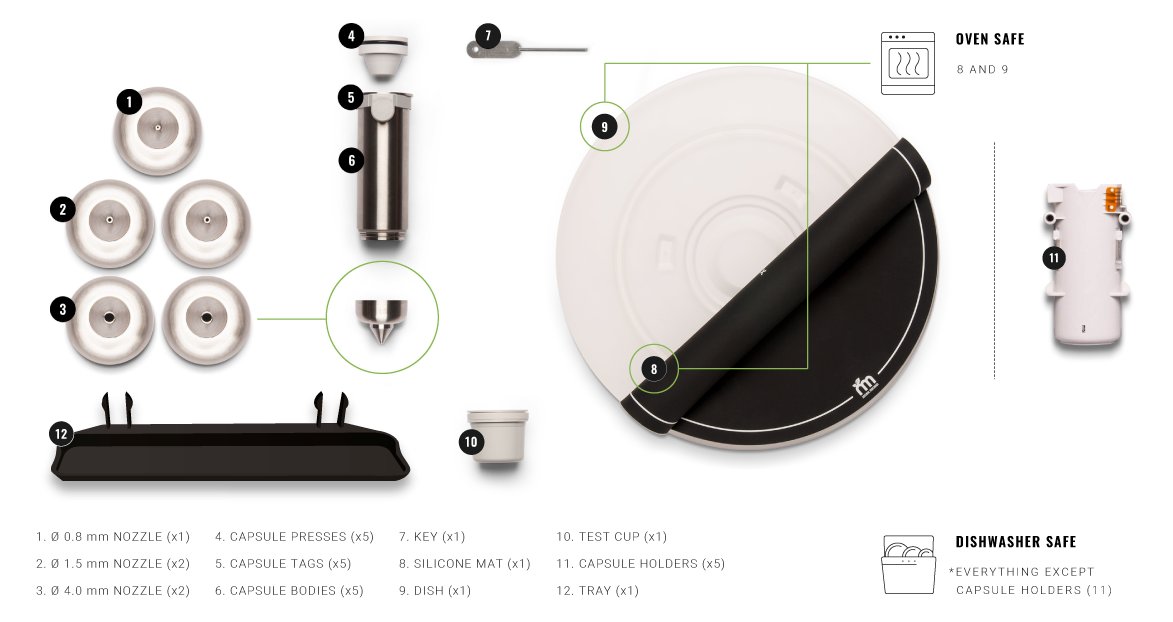
Every removable part except the capsule holders can go in the dishwasher; wash the capsule holders by hand. For the full care instructions, see the Cleaning Guide.